
How to use the app.
A real, screen-by-screen walkthrough of a full Park + Retrieve trip — whether you're parking your car or driving for us.
A Park + Retrieve trip, screen by screen. You park now, keep your keys, and a valet brings the car back whenever you ask.
 1
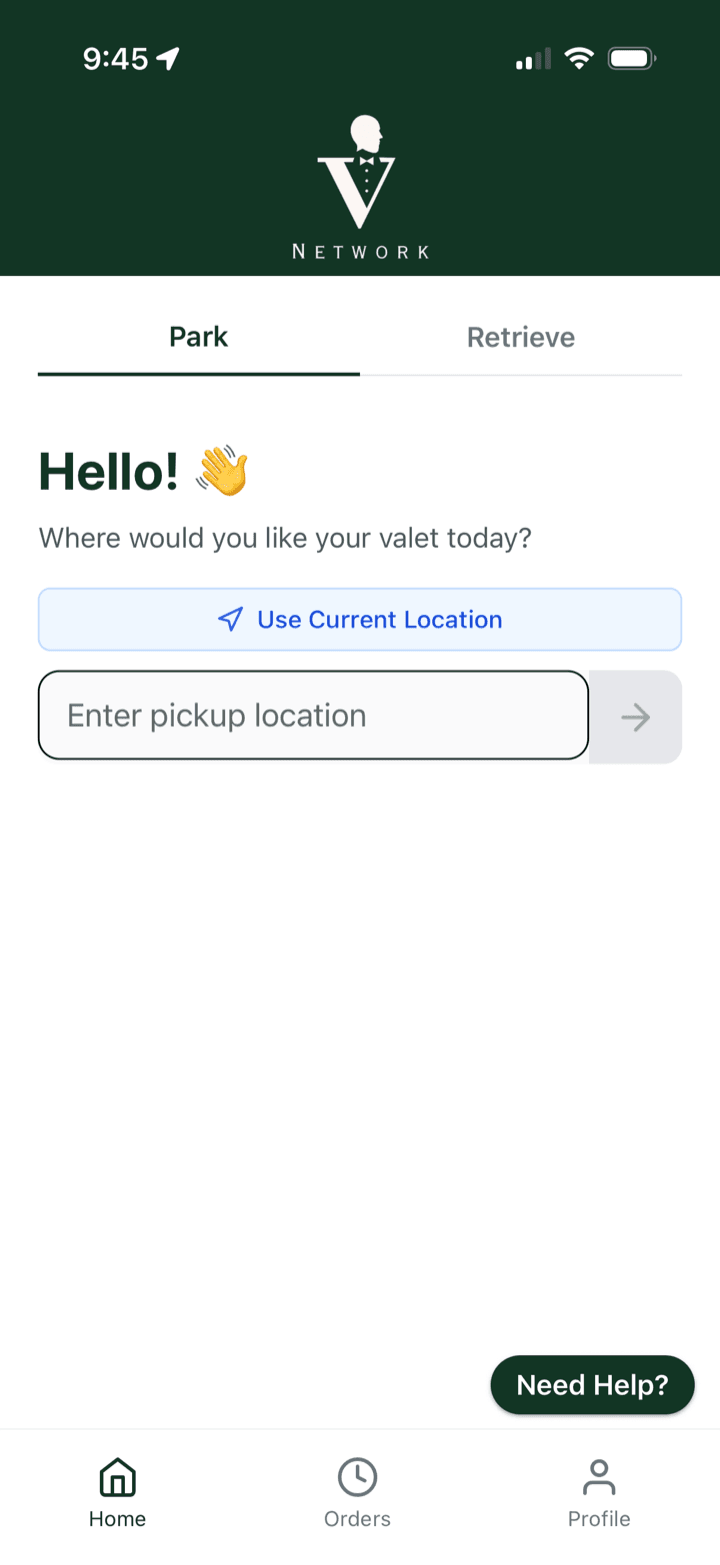
1Request your parking
Open the app on the Park tab and tap Use Current Location or type your pickup spot.
 2
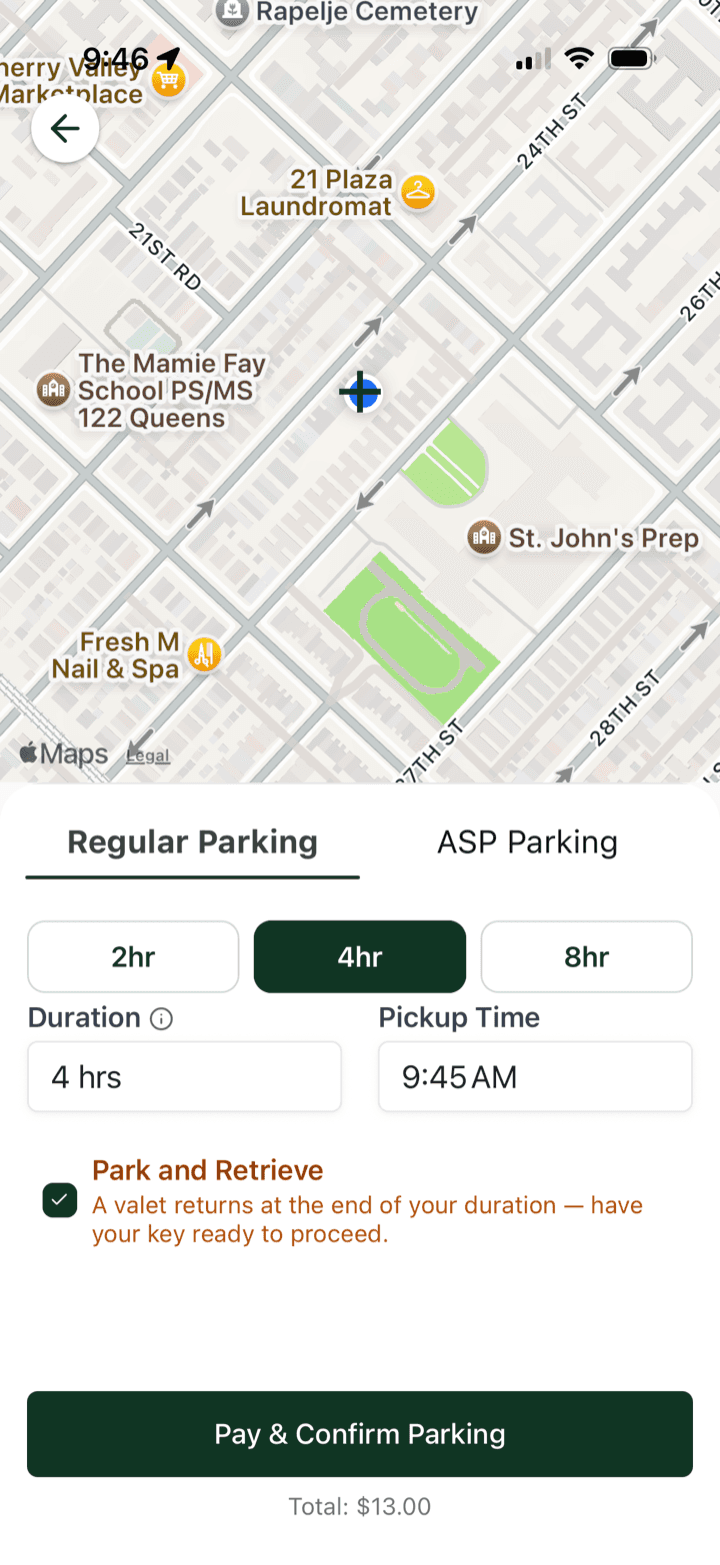
2Pick a duration and pay
Choose Regular or ASP, set your hours and pickup time, turn on Park and Retrieve, then Pay & Confirm.
 3
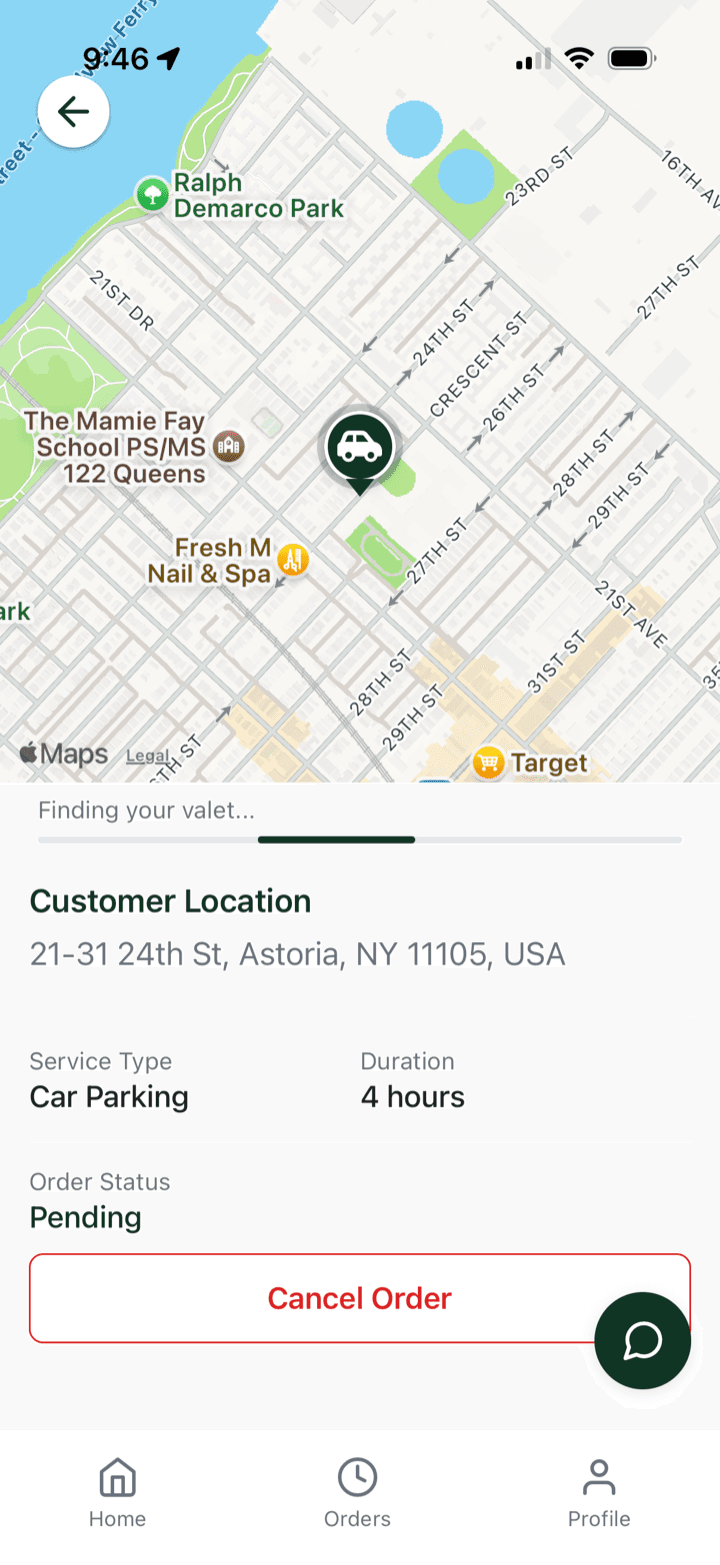
3Get matched with a valet
We assign the nearest driver. You can Cancel Order any time before a valet accepts.
 4
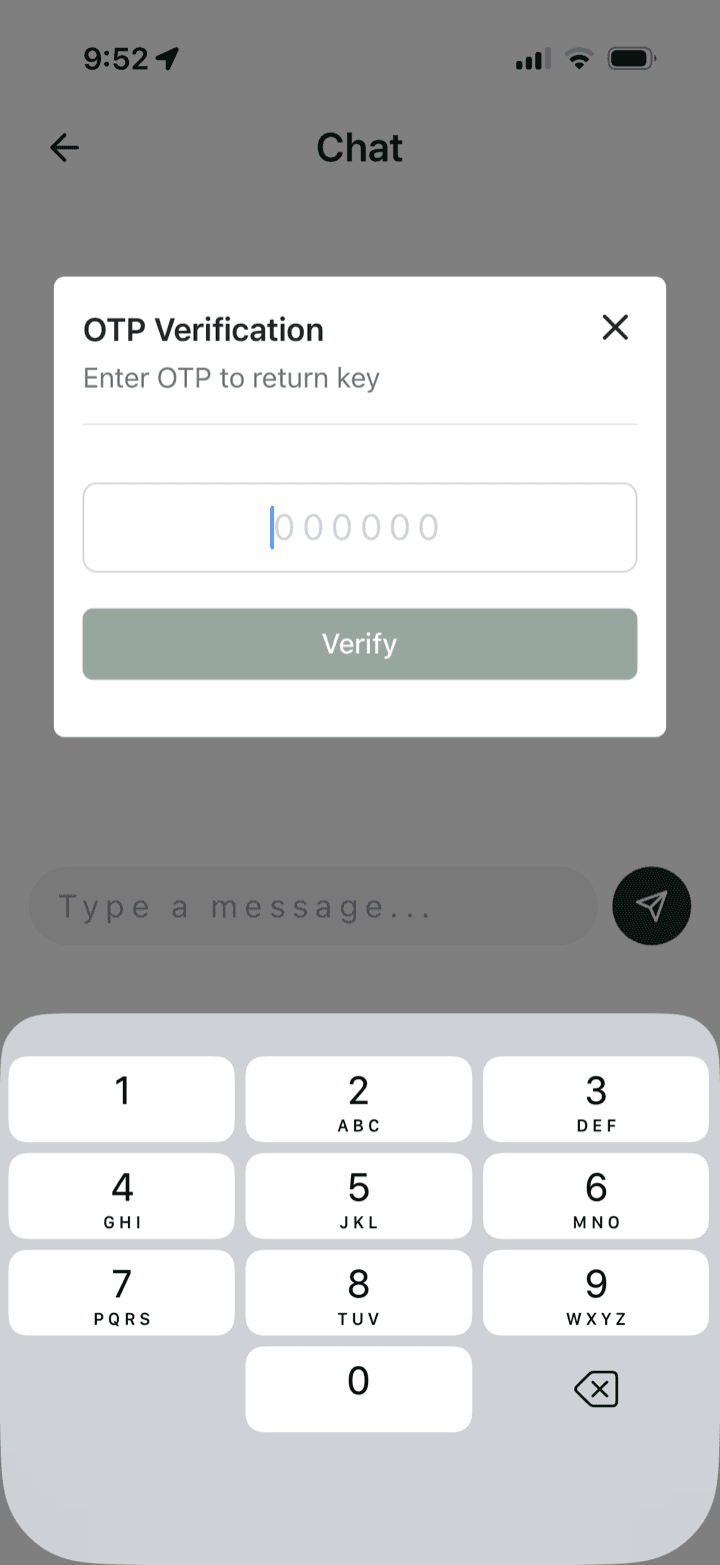
4Verify your valet to hand over the keys
When your valet arrives, they give you a one-time code. You (or your front desk) enter it here and tap Verify before handing the keys over.
 5
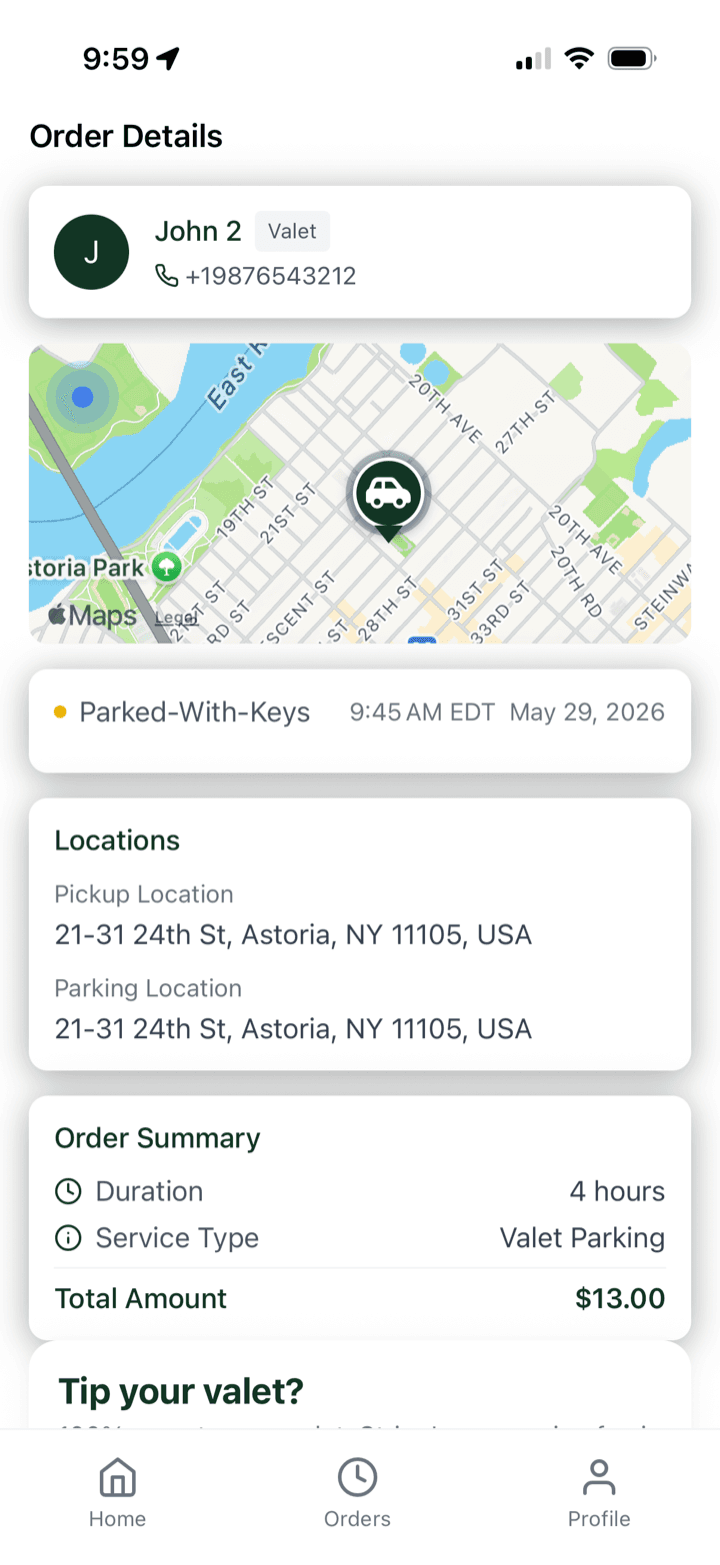
5Your car is parked, keys returned
Once parked, your valet hands the keys straight back. Track the order and see exactly where it's parked.
 6
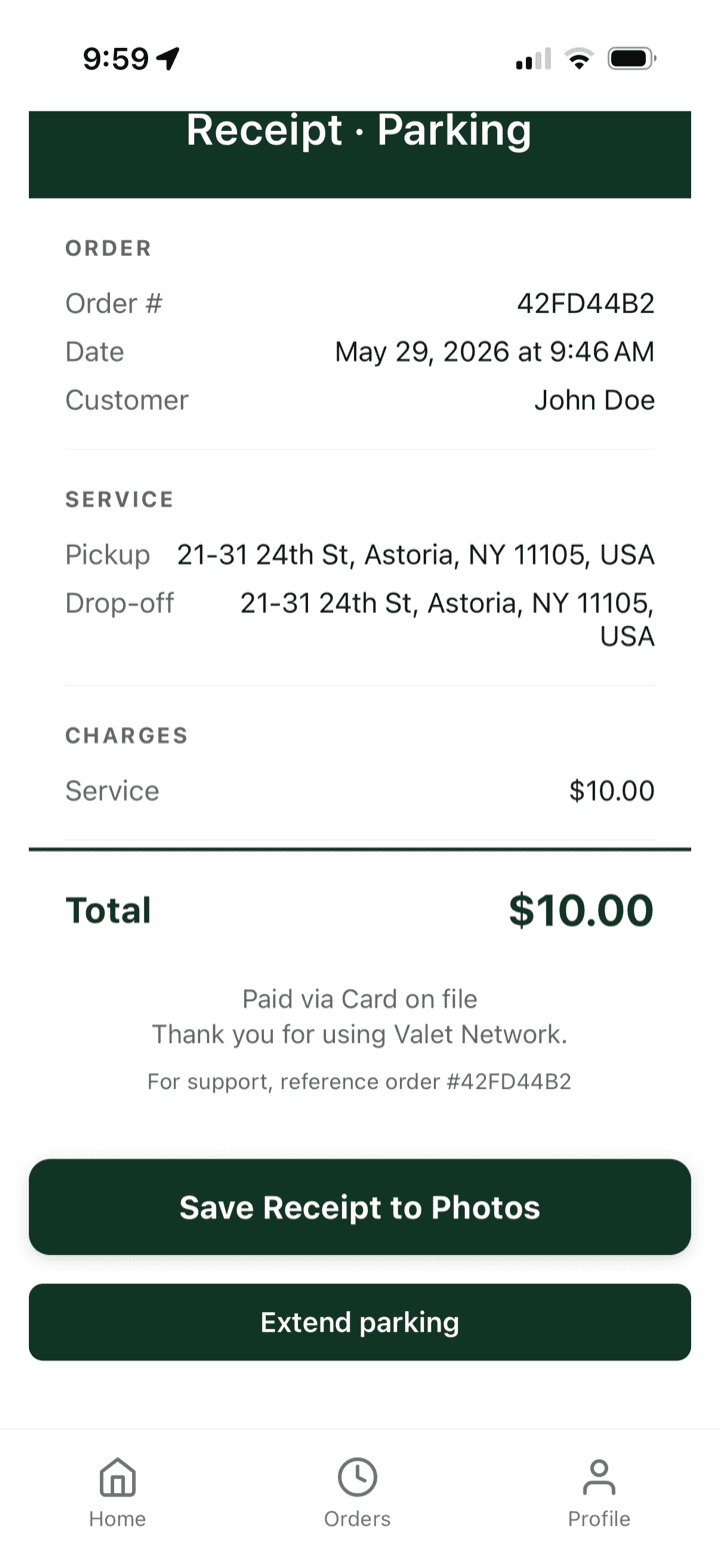
6Get your receipt
Your Parking receipt is right there — save it to Photos, or extend your parking with a tap.
 7
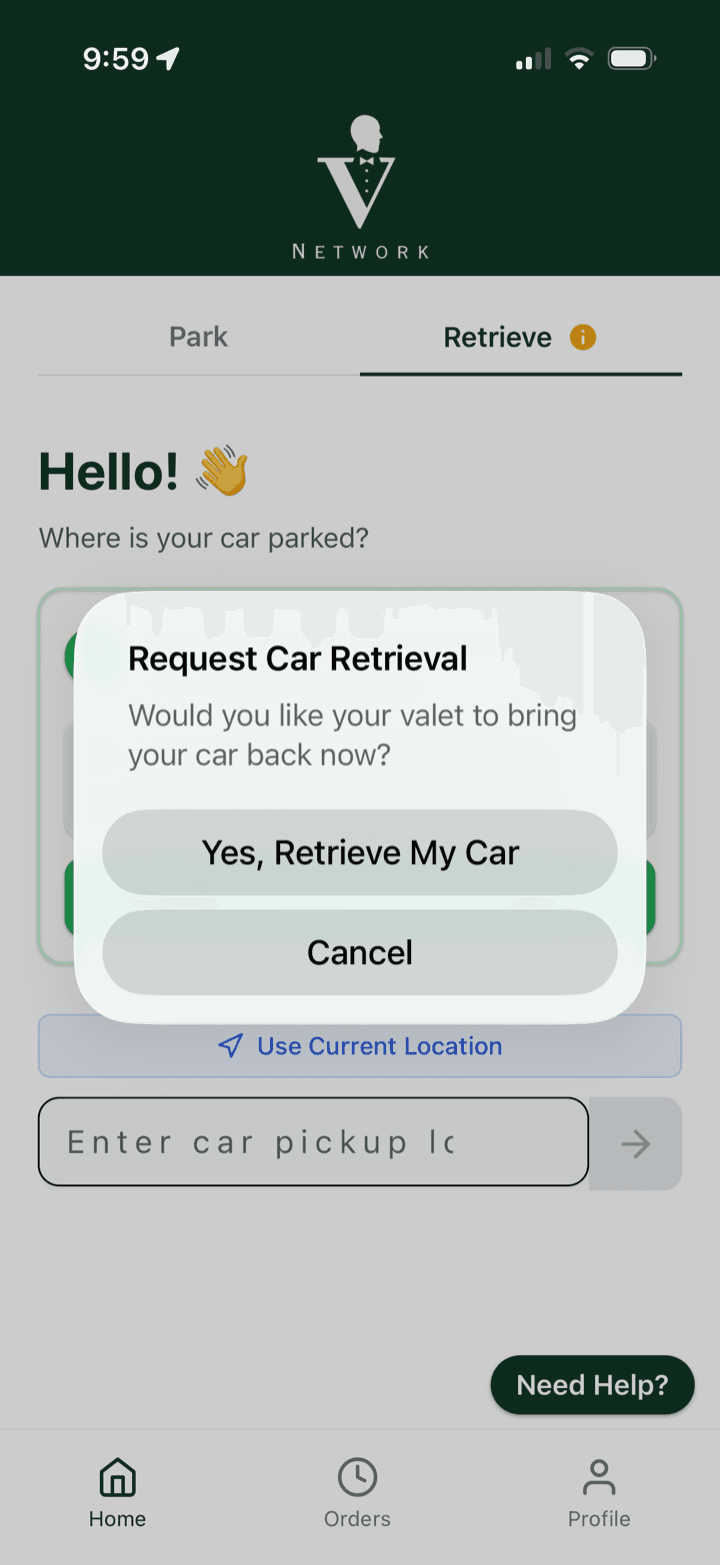
7Request your car back
When you want it, tap Request Retrieval. A valet comes to you and brings the car to your curb.
 8
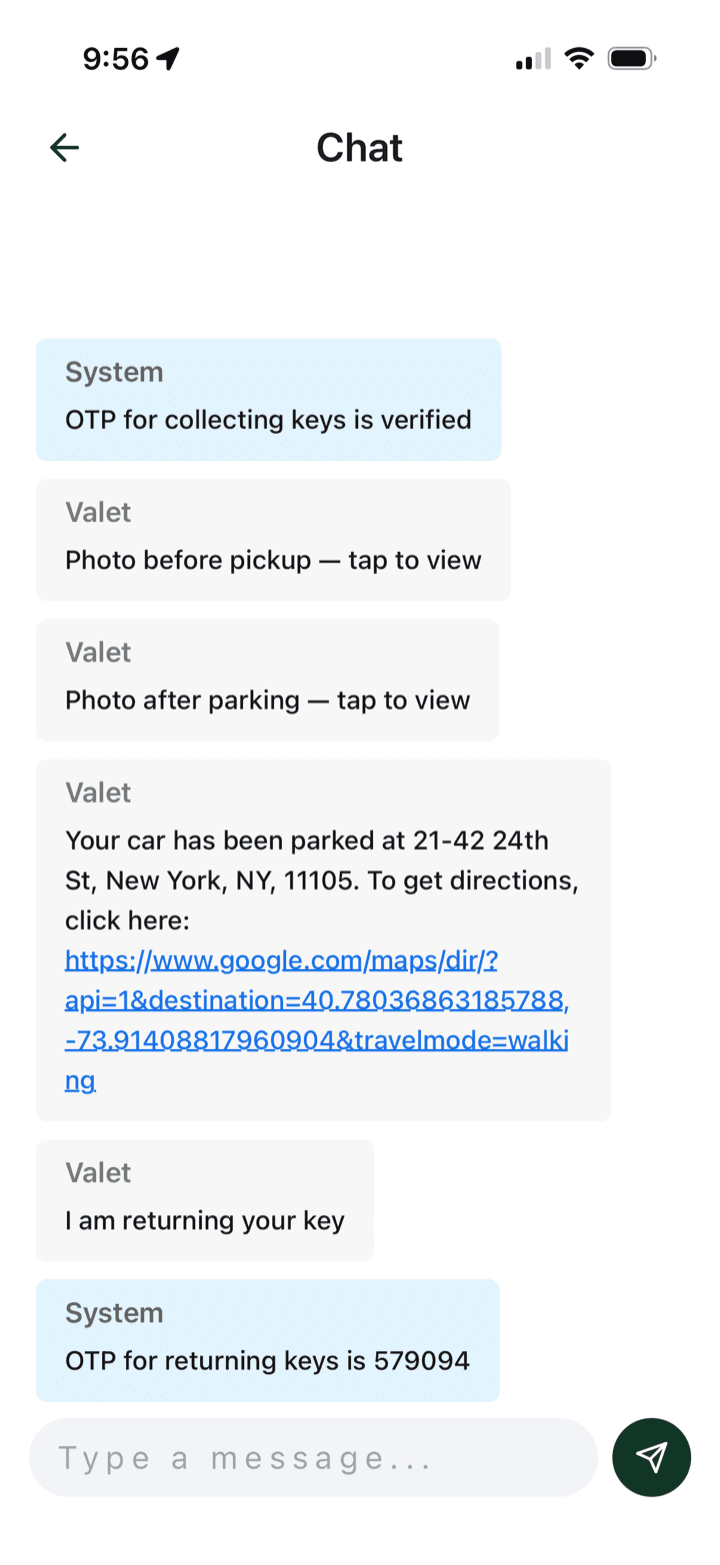
8Verify the return with a new code
When your valet arrives with the car, your chat shows a fresh “OTP for returning keys.” Read it to them to release your keys back to you.
 9
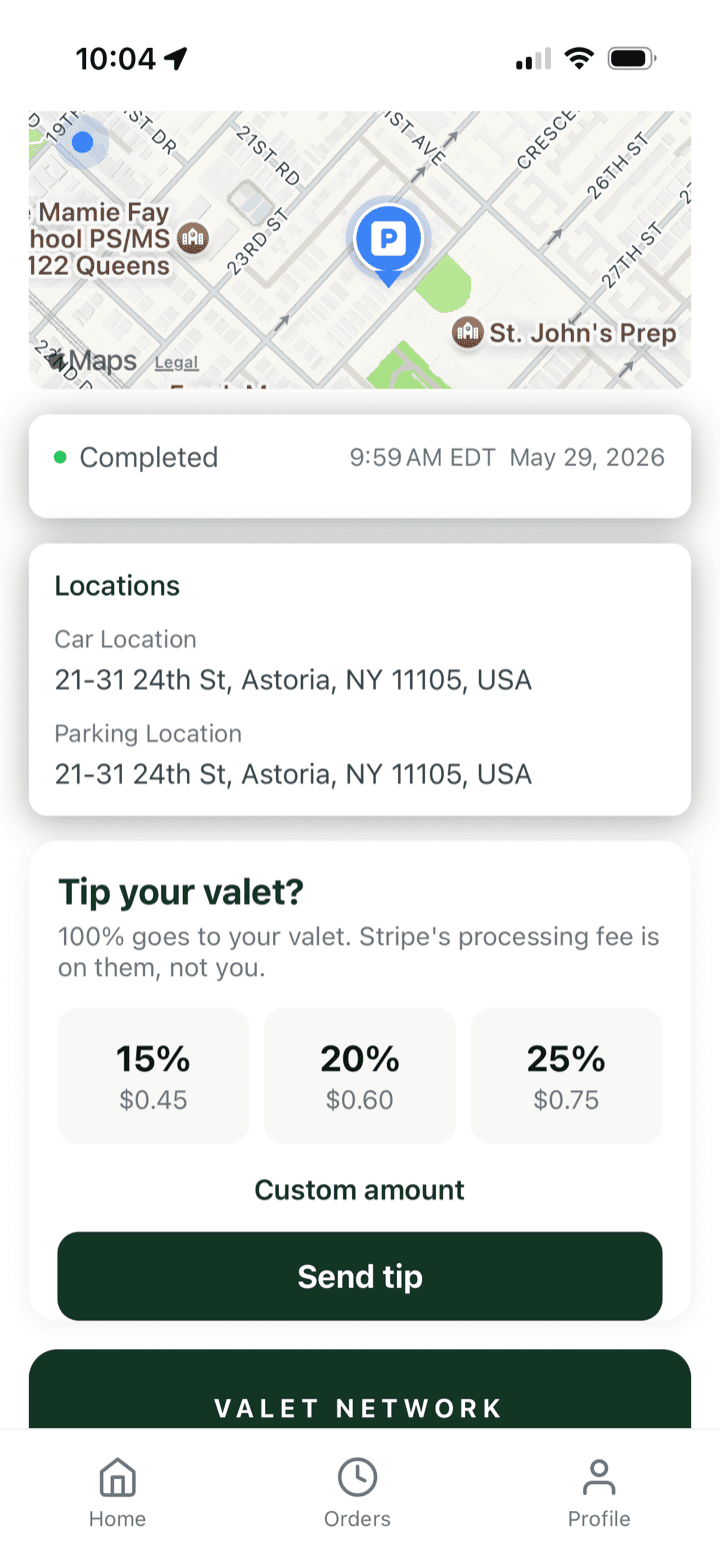
9Tip your valet
When the order shows Completed, add a tip — 100% goes to your valet, we cover the fee.
 10
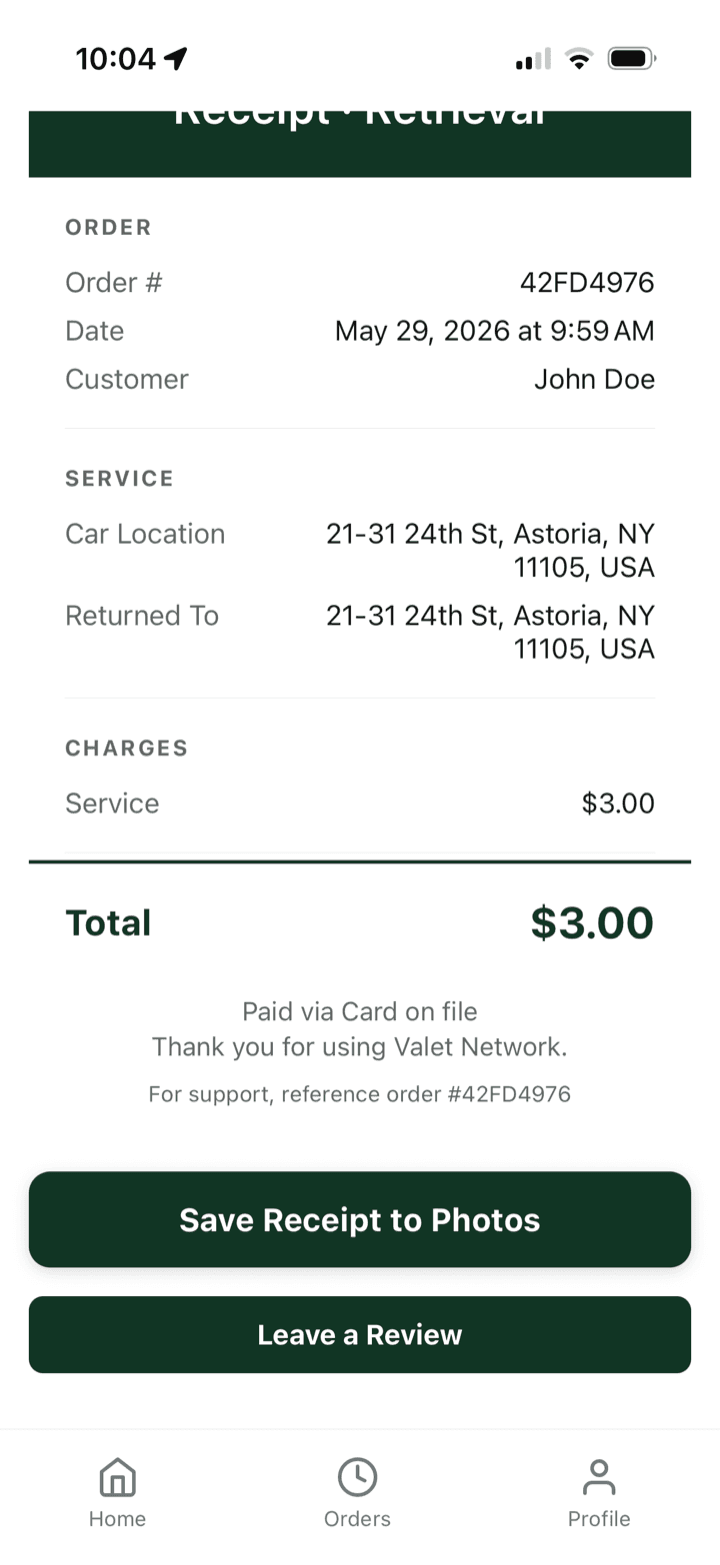
10Final receipt
Your Retrieval receipt is saved to the order, ready to keep or leave a review.
Good to know
You always keep your keys
Your valet hands the keys back the moment your car is parked — and again the moment it's returned. They never hold onto them.
Every handoff needs a code
Keys only change hands with a one-time code shared in the app. No code, no keys — in either direction.
Every car is photographed
Valets document the car before pickup and once it's parked, so there's a clear record on every trip.
Tips are 100% the valet's
Whatever you tip goes straight to your valet. We absorb the card processing fee, not you.
Still stuck?
Tap Need Help? inside the app any time, or reach us directly — we're a real team in New York.